MemeRemake
Menu
Rising · AI-generated

58th Floor AI Video Generator

Put you and a consenting adult friend in a teal booth with one hanging mic, taking turns in close-up. Upload two separate adult photos for an AI-generated 13–15 second dual rap remake in 9:16 at 720p. Preview a watermarked still for free, then generate a silent MP4 for 50 credits. Adults only—no baby or child photos. Independent fan remake.

Create your free preview →
Viral example · third-partyMuted trend sample · not from MemeRemake

Viral trend example (third-party)

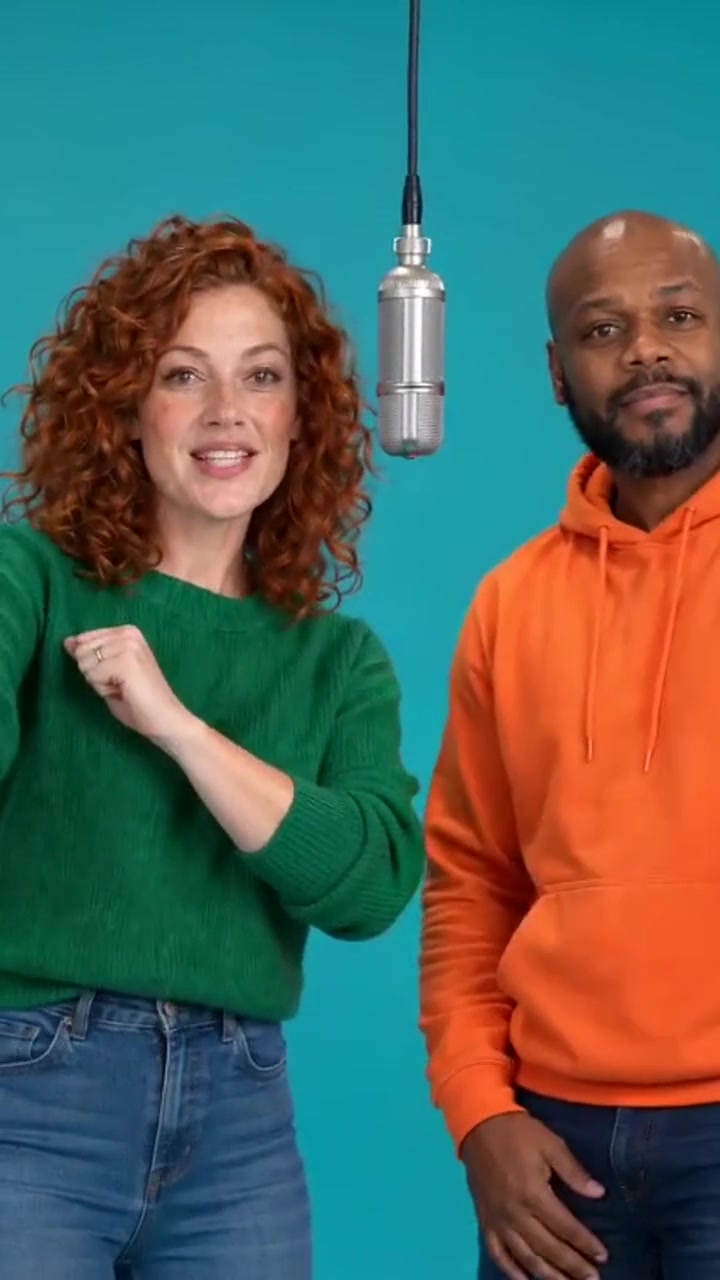
These third-party viral examples show the motion. They are not outputs from MemeRemake. The stills are extracted from the example clips, not user input photos. Results with your photos will differ.

Still from viral third-party example: 58th Floor AI teal booth dual rap remake — third-party exampleStill from example clip
Trend example · muted
58th Floor AI teal booth dual rap remake — third-party exampleThird-party AI-generated trend remake (muted). Not made on MemeRemake. Still extracted from the example clip. · 15 s

Key facts and specifications

58th Floor AI Video Generator turns your photos into a newly generated scene with a free watermarked still preview. From 50 credits per video.

PriceFrom 50 credits (about $8.25 on the $9.90 / 60-credit starter pack); packs start at $9.90 for 60 credits
LengthAbout 13–15 seconds (15-second target)
Aspect ratio9:16
Delivery720p MP4, silent by default, plus cover JPG and caption pack
PreviewFree watermarked first-frame still
Re-makeOne free re-make within 24 hours
PhotosAdults only (18+); one adult per photo; no public figures
ModelVideos are generated with Veo 3.1, Google's AI video model, with ByteDance's Seedance 1.5 Pro as a backup model. MemeRemake is not affiliated with Google, ByteDance, TikTok or any meme creator.

Silent by default. No original song is included. Add the trending sound in TikTok/Reels when you post.

Independent fan remake. Not affiliated with COLORS, Anderson .Paak, Cordae, or official audio rights holders. Adults only. AI-generated.

Your photo. Your meme.

Create your free preview

Adults only—no baby or child photos. Upload two different adults, one per photo. No celebrities or public figures, including Anderson .Paak or Cordae. JPG, PNG or WebP, up to 20 MB.

50 credits (about $8.25 on the $9.90 / 60-credit starter pack) · Free watermarked preview. Credit packs start at $9.90.

Every output is AI-generated. Photo tips

How to make your 58th Floor AI video

  1. Upload two separate, clear photos of two different adults and confirm each person’s permission.
  2. Review your free watermarked still of both adults in the teal booth.
  3. Generate the silent 13–15s video for 50 credits, download, and add the trending sound in TikTok/Reels when you post.

Scene storyboard / beat guide (not a sample video)

TimeActionCamera
0–3sBoth adults stand in a teal booth beneath one hanging mic.Wide establishing view
3–7sPhoto 1 takes the lead with silent rap gestures; photo 2 stays in the background.First performer close-up
7–11sPhoto 2 takes the lead; photo 1 stays in the background.Second performer close-up
11–15sBoth adults reunite; the mic gently sways as the scene fades.Medium two-shot

Two friends trading the lead in a teal booth

The 58th Floor AI video generator recreates the visual idea of two people sharing a stripped-back performance space. A teal background, a single hanging microphone and alternating close-ups keep attention on the performers. The name refers to the Anderson .Paak and Cordae COLORS performance style, often searched as colors ai; your result is an independent fan remake with your own consenting adult cast. You do not need a recording studio, a microphone or a rehearsed dance. Your photographs supply the identities and outfits, while the room, camera moves and gestures are newly generated. Every result carries an AI-generated label so viewers understand that the scene is imagined.

How to make an ai 58th floor remake

Start with two different adults who want to appear together. Upload a separate portrait for each role: photo 1 is the first performer, initially on the left, and photo 2 is the second performer, initially on the right. The first adult gets the opening close-up before the camera hands the lead to the second. Both people return in the ending. This page requires two uploads and does not offer a solo or group-photo mode. Check the role labels before you create the free preview, especially if you have a particular friend in mind for the first reaction.

Choose clear adult portraits and keep your own clothes

Use recent photographs with a clearly visible face, even lighting and enough detail to recognize each person. Include the upper body when possible so the clothing reference is useful. The generated booth should keep each adult’s original outfit rather than dress them like a famous performer. Plain, modest clothing works best. Avoid sunglasses, masks, motion blur, heavy beauty filters, hands covering the mouth and crowded backgrounds. One person belongs in each upload. Different source backgrounds are fine because the teal studio is created around your cast. If the face is too small or obscured, choose a clearer photo before continuing.

Four performance beats in about fifteen seconds

The opening zero-to-three-second wide shot introduces both adults and the hanging microphone. From roughly three to seven seconds, the first adult performs silent rap mouth movements and small hand gestures near the mic while the friend stays softly out of focus. From seven to eleven seconds, the second adult takes the close-up and the first moves into the background. The last section returns to a medium two-shot with a subtle mic sway and a confident finish. These timings guide the generated performance, so exact gestures and cuts can vary. The format stays vertical 9:16, ready for a phone screen.

Review a free still before spending credits

The watermarked preview shows a single frame with both adults in the new booth. Look for two recognizable faces, the correct outfits, a clear microphone and a balanced composition. A still preview cannot demonstrate the final motion or guarantee every later frame, but it lets you check the starting scene before paying for animation. The full silent 720p MP4 costs 50 credits using the existing MemeRemake credit packs, which start at $9.90. There is no separate low-price checkout for this template. Technical generation failures return credits, and one free re-make within twenty-four hours gives you another attempt if the finished faces need work.

Adults only, with a separate agreement for each person

Everyone in the uploaded photographs and the generated scene must be at least eighteen. Adults only—no baby or child photos. A childhood photograph of an adult is still not acceptable, and photos that may show a minor are rejected. The second person has their own consent confirmation: The second person is an adult and agreed to be in this video. Use yourself and ordinary friends with permission. We reject celebrity and public-figure photos, including Anderson .Paak and Cordae, as well as attempts to reproduce a recognizable movie or television character. Agree on where the result will be shared before starting.

Download silent and add sound when posting

The default download is silent. It does not contain the song, official COLORS audio, copied lyrics, a singer impersonation or a replacement soundtrack. Add the trending sound in TikTok/Reels when you post. You can also choose another available sound that suits your own performance. Watch the whole clip as you align the audio with the handoff between the two adults, and check the final beat before publishing. Keep captions away from faces and the microphone. Preserve the AI-generated label and describe the result as a fictional remake rather than claiming that you recorded a real studio session.

An independent performance remake with a clear boundary

Independent fan remake. Not affiliated with COLORS, Anderson .Paak, Cordae, or official audio rights holders. The trend name explains the visual reference; it does not mean an artist or studio endorses the tool or your result. Generated scenes use a generic teal booth with no official studio logo, television graphics or artist likeness baked into the template. The moving example on this page is labeled as a third-party trend reference, not a result made on MemeRemake, and its extracted still is not an input photo. Your own result depends on your portraits and will differ. For another shared studio setup, explore Alors On Danse or Desk Concert AI.
A few things you might be wondering

What is the 58th Floor AI trend?

It is an independent AI remake of the teal booth and hanging-mic dual performance style associated with Anderson .Paak and Cordae’s “58th Floor” COLORS performance. Two consenting adults take turns in close-up in a newly generated studio scene.

How many photos do I need?

Two separate photos of two different adults aged 18+, one person per photo. Photo 1 takes the first lead; photo 2 takes the second lead. Each person must agree to appear. A group picture or a single photo cannot fill both roles.

Is this an official COLORS / Anderson .Paak / Cordae tool?

No. Independent fan remake. Not affiliated with COLORS, Anderson .Paak, Cordae, or official audio rights holders. We do not supply official footage, artist faces or branded studio graphics.

Does the download include the song?

No. The MP4 is silent by default, with no original song or official audio included. Add the trending sound in TikTok/Reels when you post. Choose audio available to you in the posting app and check its timing against your finished performance.

Can I use kids or celebrity photos?

No. Adults only—no baby or child photos. We reject any photo that may show a minor, as well as celebrities and public figures, including Anderson .Paak and Cordae. Use yourself and an ordinary adult friend who has agreed to appear.

How long is the video?

About 13–15 seconds, generated with a 15-second target in vertical 9:16 at 720p. The sequence establishes the booth, gives each adult a close-up, then returns to both people for the ending.

Do I need an app?

No. Upload your two photos, preview and generate in your browser on memeremake.com. Download the MP4 and post it in TikTok, Reels or Shorts, or share it with friends.

Is there a free preview?

Yes. One watermarked still preview is free; it shows both adults in the booth. The moving AI-generated video costs 50 credits (about $8.25 on the $9.90 / 60-credit starter pack). Credit packs start at $9.90. The preview is a still image, not a free video.

Is this a building / floor meme or a dance filter?

No. Despite the name, this is a dual-person booth performance remake: a teal studio, hanging mic and alternating rap gestures. It does not show a tower floor, apply a face filter or turn the performers into dancers.

What if a photo or generation fails?

Missing photos, unclear faces, sunglasses, possible minors and public figures must be replaced before generation. Technical generation failures return credits. If the finished faces need another attempt, one free re-make is available within 24 hours.

Related templates

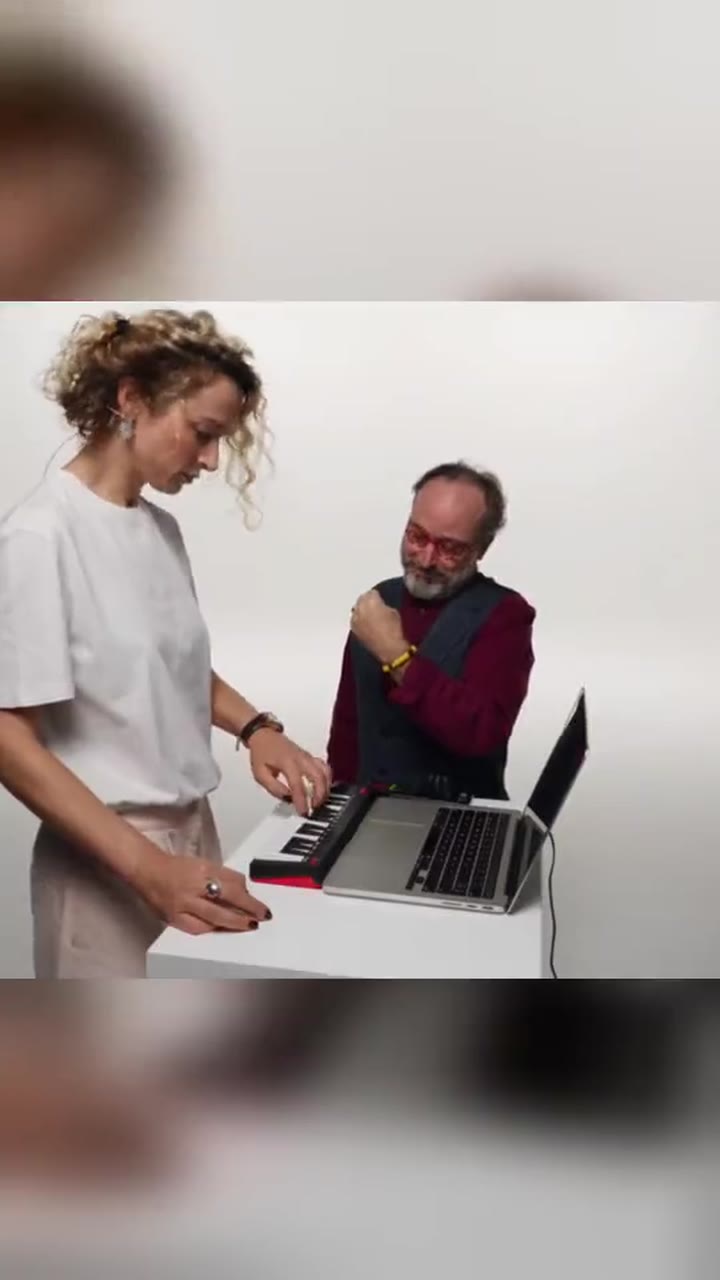
Alors On Danse white-studio keyboard meme — viral third-party example (viral third-party example)
Viral example · third-partyMuted trend sample · not from MemeRemake

Alors On Danse AI Video Generator

Rising

Turn yourself and a consenting adult friend into the keyboardist and dancer in a playful white-studio sketch, or play both roles from one adult photo. Preview a watermarked still for free, then create a 720p MP4 for 50 credits in either mode, with original instrumental music and a silent download. The target is about 15 seconds; alternative renders may compress the action to 8 seconds.

From 50 credits

Create your free preview →