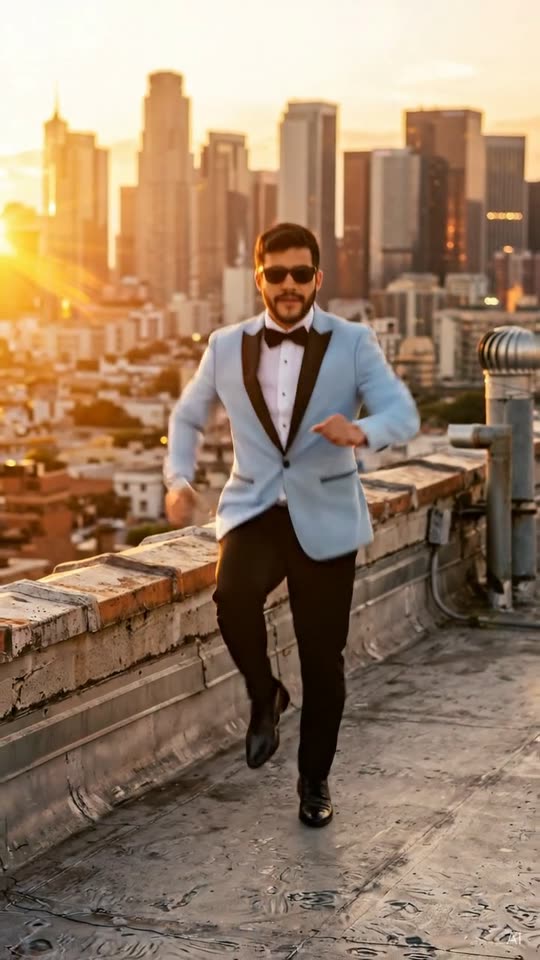
Recognize the dance by the arms and changing frame
Tecktonik is the focus of this short stage performance: the adult moves through expressive arm patterns beneath red light while the camera moves between useful views of the action. The scene should make the arm choreography readable rather than hiding everything behind rapid cuts. Your face stays the personal anchor as the upper body moves. People searching for the Cheba Man dance AI trend are looking for that energetic visual idea; this template creates your own version without reproducing the original performer's identity. The output is a ten-second newly generated clip, designed as a complete short performance rather than a tutorial that teaches the full dance step by step.
Start with a half-body or full-body photograph
A half-body or full-body reference is particularly helpful here because the shoulders and arms carry the movement. Keep the face large and sharp enough to recognize, even when you leave extra room around the torso. An image with both elbows visible gives a clearer body reference than a very tight selfie cropped below the chin. You do not need to strike a Tecktonik pose before uploading. A comfortable standing position with arms separated from the body can be easier to interpret than crossed limbs or an extreme dance snapshot. Use a single adult in ordinary, non-revealing clothing and avoid photos where someone else's hand or shoulder enters from the edge.
Preserve clear features under dramatic red lighting
The stage lighting supplies the red atmosphere, so your source image does not need a matching color cast. A neutral, evenly lit reference gives a clearer starting point for the face than a dark club photograph. Look for visible eyes, a recognizable hairline and natural skin detail. Heavy smoothing can remove the very features that make a short moving portrait feel like you. In the free still, check that the red light shapes the scene without turning the face into an unreadable silhouette. The stage can be dramatic while leaving enough contrast around the arms and torso to show where each movement begins and how it travels through the frame.
Ten seconds should include motion and a readable finish
The opening establishes the adult performer and red stage. The middle develops the arm sequence while the framing changes with the rhythm, and the ending settles into a clear final moment. Think of this as a compact performance with continuity, not a collection of unrelated poses. A close camera view can emphasize expression, but it should not remove the arm action for most of the video. Watch the finished clip at its normal speed first to judge whether the movement flows. Then review the busiest part more carefully, checking that the arms remain attached naturally and that the face does not change identity when the camera moves closer.
Check elbows, wrists and the spaces between limbs
For an arm-driven dance, small anatomical problems can be more noticeable than background imperfections. Track each arm from shoulder to elbow to wrist during the main sequence. There should be no extra arms, disappearing hands or abrupt changes in the direction a joint bends. Pay attention when one hand crosses in front of the other or passes near the face, since those are moments where the silhouette becomes more complex. The free preview is a still and cannot confirm that continuity. Use it for likeness and framing, then use the completed video to evaluate the actual choreography. A restrained stage background helps keep your attention on these more important movement details.
Choose this template for upper-body energy
Different dance memes emphasize different parts of a performance. Tecktonik is a useful choice when you want the arms and changing upper-body shapes to be the main event. A horse dance emphasizes bouncing steps; a shoulder freestyle emphasizes a smaller, rhythmic motion; a dramatic walk emphasizes posture and an entrance. Knowing which action you want makes it easier to choose a template before uploading a photo. This page offers one adult performer rather than a duo or trio lineup, so use it for a personal dance reveal. You do not need to invent costume or scene options in a prompt: the red-stage setting and choreography already define the intended visual direction.
Fit the platform sound around the visible movement
No original song or source recording is included. Add the trending sound in TikTok/Reels when you post, selecting audio that is available for your account. Watch how the chosen segment lines up with the main arm sequence and the closing pose. Avoid covering the shoulders with large text, since the motion needs open space to be read on a phone. If you add a caption, keep it short and position it away from the hands. The result should stay marked AI-generated. Describe it as your AI dance remake rather than implying you recorded a live stage appearance or personally performed the choreography captured in the generated scene.
Know what the browser workflow includes
You can create the Tecktonik dance from a phone or computer browser without installing an app. Upload one suitable photograph, inspect the free watermarked still and use 40 credits for the ten-second 720p vertical MP4. Only consenting adults aged eighteen or older are accepted. Photos that may show minors, celebrities, idols or other public figures are rejected, even when a public image seems closely associated with the trend. MemeRemake is not affiliated with Cheba Man, and the original creator's face or footage is not used. The template remains available as an everyday dance option, so a successful personal version depends on a clear reference and readable movement rather than chasing a deadline.
Target length and delivery
The 10-second Tecktonik Dance storyboard describes the intended sequence. Alternative renders may compress that sequence into eight seconds. The free preview is a still image, so it cannot demonstrate the finished timing. Check the completed clip before posting; the credit price covers the selected template and its included free re-make, regardless of the delivered duration.