The trend and its origin
Dime Dime Baby is a phrase associated with the BbY WOW trend. In Spanish, ‘dime’ means ‘tell me’; the phrase is a trend name, not an invitation to upload a baby photo. The research places the trend in a more established stage by late October 2026. This version focuses on a calm expression, a Mexican concha sweet bread and a shoulder groove, without supplying the original recording.
Read the eight-second storyboard
Walk toward camera under pink lights, shoulders gently swaying. Pick up a concha, a Mexican sweet bread, and take one bite. Chew with a deadpan expression looking straight into camera. Turn and dance away. The timing table below compresses the full idea into eight seconds. Follow the order when reviewing your finished clip: an attractive first frame alone does not tell you whether every action is present. Watch once at normal speed for the overall joke, then again for the transition and ending. The camera descriptions describe intended framing, while small generated details can vary. Check hands, eyes and props before posting. A clear face and a readable silhouette matter more than a busy background.
Choose a reference that looks like you
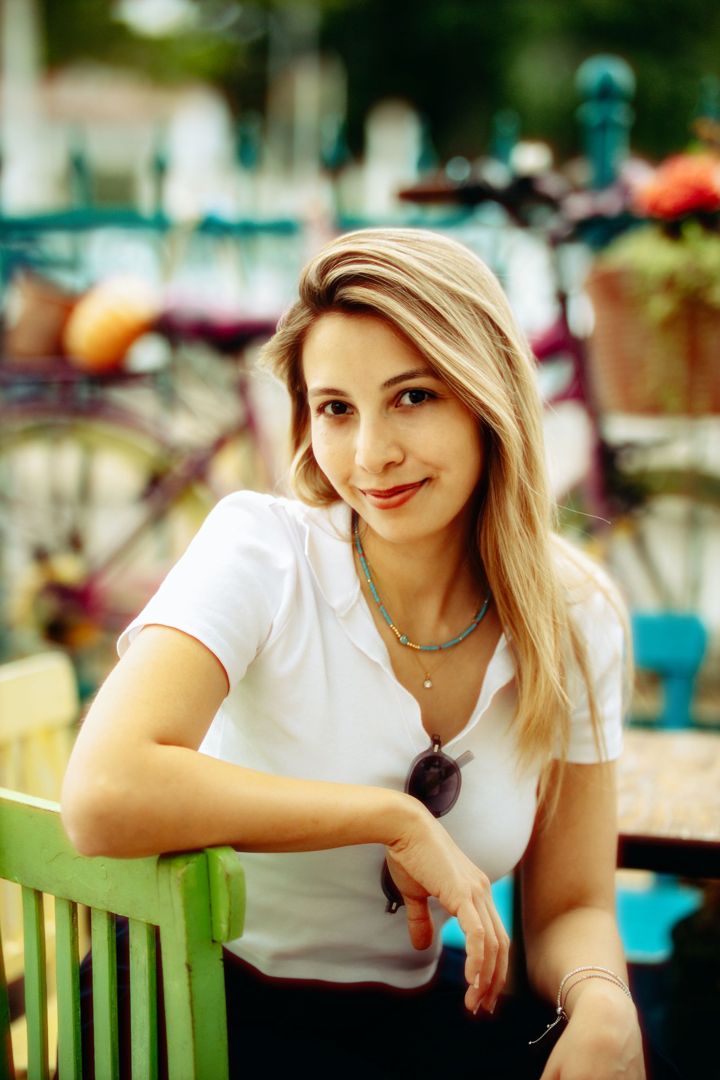
For Dime Dime Baby AI Dance Generator, begin with a recent, unfiltered photo of one adult. Use a front-facing view or a slight angle with the whole face visible. Even window light is useful because it shows skin tone and facial contours without strong shadows. A half-body or full-body photograph can help with movement when the face is still large and sharp. Avoid screenshots, watermarks, masks, sunglasses and heavy beauty filters. Keep your usual hairstyle visible. The goal is to preserve your identity and adult age, rather than invent a different person. Photos that might show a minor are rejected before any video credits are charged.
Plan your scene before the preview
Look at the available Dime Dime Baby AI Dance Generator options before uploading. Choose the setting, outfit or ending that fits the visual joke you want to share. Where Duo is available, the first upload is the main dancer and the second is the friend or watcher; each photo must contain one adult and each person must agree. Pet mode exists only on Enchantress and Fog Entrance. Changing a choice after preview requires a new still, so take a moment to check the selection. Your price line follows the chosen options. The server calculates the final credit amount from the catalog when reserving a paid video.
Review the free first frame
The preview for Dime Dime Baby AI Dance Generator is a still image with a MemeRemake watermark. It shows the starting scene with your character already in place. It is free to review and is not a finished moving clip. Look closely at face shape, hairstyle, skin tone and clothing. In a duo scene, make sure both people are visible and recognizable without mixed identities. Check that the composition leaves room for the movement described in the storyboard. If the still looks wrong, choose a better source photo before proceeding. Output checks also look for possible minors, brand marks, revealing clothing and unexpected people.
Create and inspect the finished video
When the preview is ready, use credits to create the eight-second Dime Dime Baby AI Dance Generator video. The video continues from the clean first frame. Every standard output is a 720p MP4 with an AI corner mark, and delivery includes a silent version, cover JPG and three-caption pack. Open My videos to check progress or return later. If processing takes more than fifteen minutes, the job continues and displays a delay message. Technical failures automatically release or refund credits. Each completed paid video includes one free re-make within twenty-four hours if the face or key action needs another attempt.
Post with a sound and honest context
No original song is supplied with Dime Dime Baby AI Dance Generator. The main file uses an original instrumental beat or scene effects; the silent download is useful when adding platform audio. Add the trending sound in TikTok/Reels when you post, subject to the rights available for your account and region. Keep the AI label on when you post, including the corner mark and metadata. A caption can explain that this is your AI remake of the trend. Avoid presenting the scene as a real event. Review platform crop and caption placement so buttons do not cover the face or the final reveal.
Privacy, permission and keeping your files
Use only photographs you own or have permission to use, with consent from every adult depicted. We reject celebrities, possible minors, multiple people in one photo and unsafe content. Your uploaded photos and previews are retained for seven days, and generated videos for thirty days. Download your Dime Dime Baby AI Dance Generator files before that period ends. Photos are never used by us to train AI models. Commercial use is allowed with appropriate photo and likeness rights, AI labeling and no deceptive or illegal use; no exclusivity is promised. A share page is created only when you request one, and you may delete its link from your account.